前言
最近有使用WSL的需求WSL2,在实现网络互通时出现了些问题,默认的网络模式是 NAT,虽然这样隔离得很干净,但也带来了一丢丢小麻烦——比如从外部网络访问 WSL 的时候,直接用宿主机 IP + 端口是行不通的喔 (´;ω;)。于是雨晴翻了翻微软官方文档,帮大家在不使用 mirror 网络模式的 Windows 10 上,整理出了一套轻松实现网络互访的小妙招~
先导
动手之前,咱们先来瞄一眼 WSL2 的网络拓扑,这样理解起来会更清晰喵~
WSL 与 Windows 的网络拓扑长这样:
1
| WSL -NAT> Windows -> Ethernet
|
一眼就能看出来叭:当外部网络想访问 WSL 的时候,宿主机并不会自动把请求里的目标地址转换成 WSL 的 IP 地址,所以从外面直接连进来就变得不那么方便啦 (๑•́ω•̀๑)
而且呢,因为 WSL 和 Windows 主机是走一块虚拟网卡来聊天的,所以想在 Windows 上直接用 localhost 去访问 WSL 里跑的服务,也是不行的哦!
那怎么办呢?嘿嘿,其实超简单的——我们只需要找一个”小帮手”,把发到主机上的请求乖乖地转发到 WSL 上就好啦~
Netsh 配置转发
为了方便大家,雨晴手搓了一个 PowerShell 脚本,几秒钟就能搞定端口转发,超省心的说~(≧▽≦)
1
2
3
4
5
6
7
8
9
10
11
12
13
14
15
16
17
18
19
20
21
22
23
24
25
26
27
28
29
30
31
32
33
34
35
36
37
38
39
40
41
42
43
44
45
46
47
48
49
50
51
52
53
54
55
56
57
58
59
60
61
62
63
64
65
66
67
68
69
70
71
72
73
74
75
76
77
78
79
80
81
82
83
84
85
86
87
88
89
90
91
92
93
94
95
96
97
98
99
100
101
|
function Get-WSLIP {
try {
$ip = (wsl hostname -I).Trim().Split(' ')[0]
if ($ip -match '^\d{1,3}\.\d{1,3}\.\d{1,3}\.\d{1,3}$') {
return $ip
} else {
Write-Host "[错误] 无法解析 WSL2 IP 地址,请确认 WSL2 正在运行。" -ForegroundColor Red
return $null
}
} catch {
Write-Host "[错误] 获取 WSL2 IP 失败: $_" -ForegroundColor Red
return $null
}
}
function Show-CurrentRules {
Write-Host "`n========== 当前 v4tov4 端口转发规则 ==========" -ForegroundColor Cyan
$rules = netsh interface portproxy show v4tov4
if ($rules -and $rules.Count -gt 1) {
$rules | ForEach-Object { Write-Host $_ }
} else {
Write-Host "(无转发规则)" -ForegroundColor Yellow
}
Write-Host "==============================================`n" -ForegroundColor Cyan
}
function Add-PortProxy {
param([string]$ListenPort, [string]$ConnectAddress)
$result = netsh interface portproxy add v4tov4 `
listenport=$ListenPort `
listenaddress=0.0.0.0 `
connectport=$ListenPort `
connectaddress=$ConnectAddress 2>&1
if ($LASTEXITCODE -eq 0) {
Write-Host "[成功] 已添加转发: 0.0.0.0:$ListenPort -> $ConnectAddress`:$ListenPort" -ForegroundColor Green
} else {
Write-Host "[失败] 添加转发规则出错: $result" -ForegroundColor Red
}
}
function Remove-PortProxy {
param([string]$ListenPort)
$result = netsh interface portproxy delete v4tov4 `
listenport=$ListenPort `
listenaddress=0.0.0.0 2>&1
if ($LASTEXITCODE -eq 0) {
Write-Host "[成功] 已删除转发规则: 0.0.0.0:$ListenPort" -ForegroundColor Green
} else {
Write-Host "[失败] 删除转发规则出错: $result" -ForegroundColor Red
}
}
while ($true) {
Show-CurrentRules
Write-Host "请选择操作:" -ForegroundColor White
Write-Host " 1 - 添加端口转发" -ForegroundColor Green
Write-Host " 2 - 解除端口转发" -ForegroundColor Yellow
Write-Host " 0 - 退出脚本" -ForegroundColor Gray
$choice = Read-Host "`n请输入选项 (1/2/0)"
switch ($choice) {
'1' {
$wslIp = Get-WSLIP
if (-not $wslIp) { continue }
$port = Read-Host "请输入要转发的端口号"
if ($port -notmatch '^\d+$' -or [int]$port -lt 1 -or [int]$port -gt 65535) {
Write-Host "[错误] 无效的端口号: $port" -ForegroundColor Red
continue
}
Write-Host "检测到 WSL2 IP: $wslIp" -ForegroundColor Cyan
Add-PortProxy -ListenPort $port -ConnectAddress $wslIp
}
'2' {
$port = Read-Host "请输入要解除转发的端口号"
if ($port -notmatch '^\d+$' -or [int]$port -lt 1 -or [int]$port -gt 65535) {
Write-Host "[错误] 无效的端口号: $port" -ForegroundColor Red
continue
}
Remove-PortProxy -ListenPort $port
}
'0' {
Write-Host "再见!" -ForegroundColor Gray
break
}
default {
Write-Host "[提示] 无效选项,请输入 1、2 或 0" -ForegroundColor Yellow
}
}
Start-Sleep -Milliseconds 500
}
|
把它复制下来,新建一个 .ps1文件,粘贴进去,保存,然后以管理员身份运行就能进入程序主界面啦~
脚本使用方法
假设我们在 WSL 上跑了一个监听 0.0.0.0:8080 的服务,平时呢需要拿 WSL 虚拟网卡的 IP + 端口才能连上。但有了脚本之后,只需要使用本机ip+8080 端口,发送到本机 8080 端口的请求就会被自动转发到 WSL 的 8080 端口上,就像这样:
1
| 外部请求 -> 本机 -Netsh规则-> WSL
|
使用例
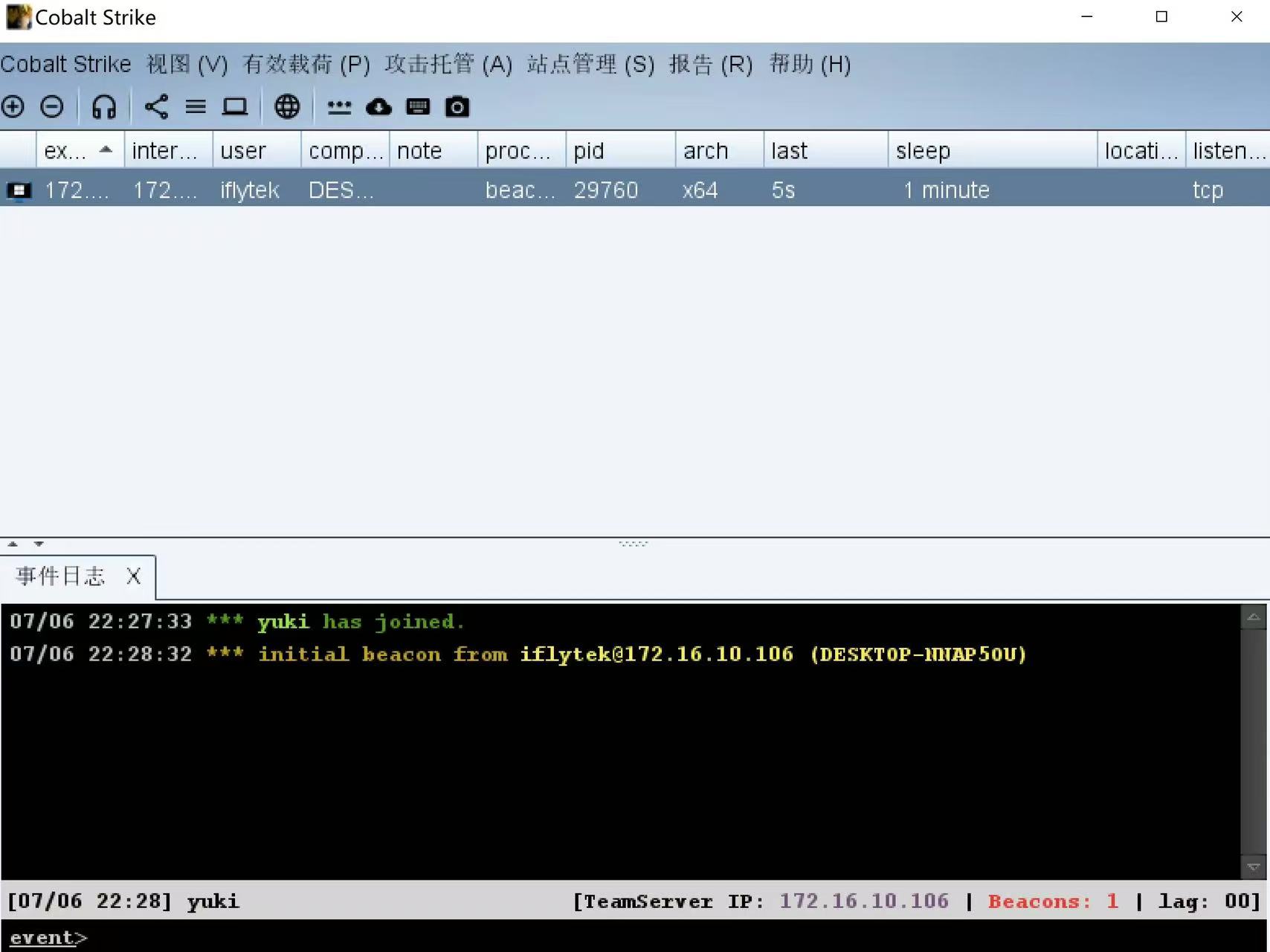
雨晴在 WSL 上开了一个监听 12564 和 18443 端口的 Cobalt Strike Team Server,然后逐个把它们添加进转发规则里~
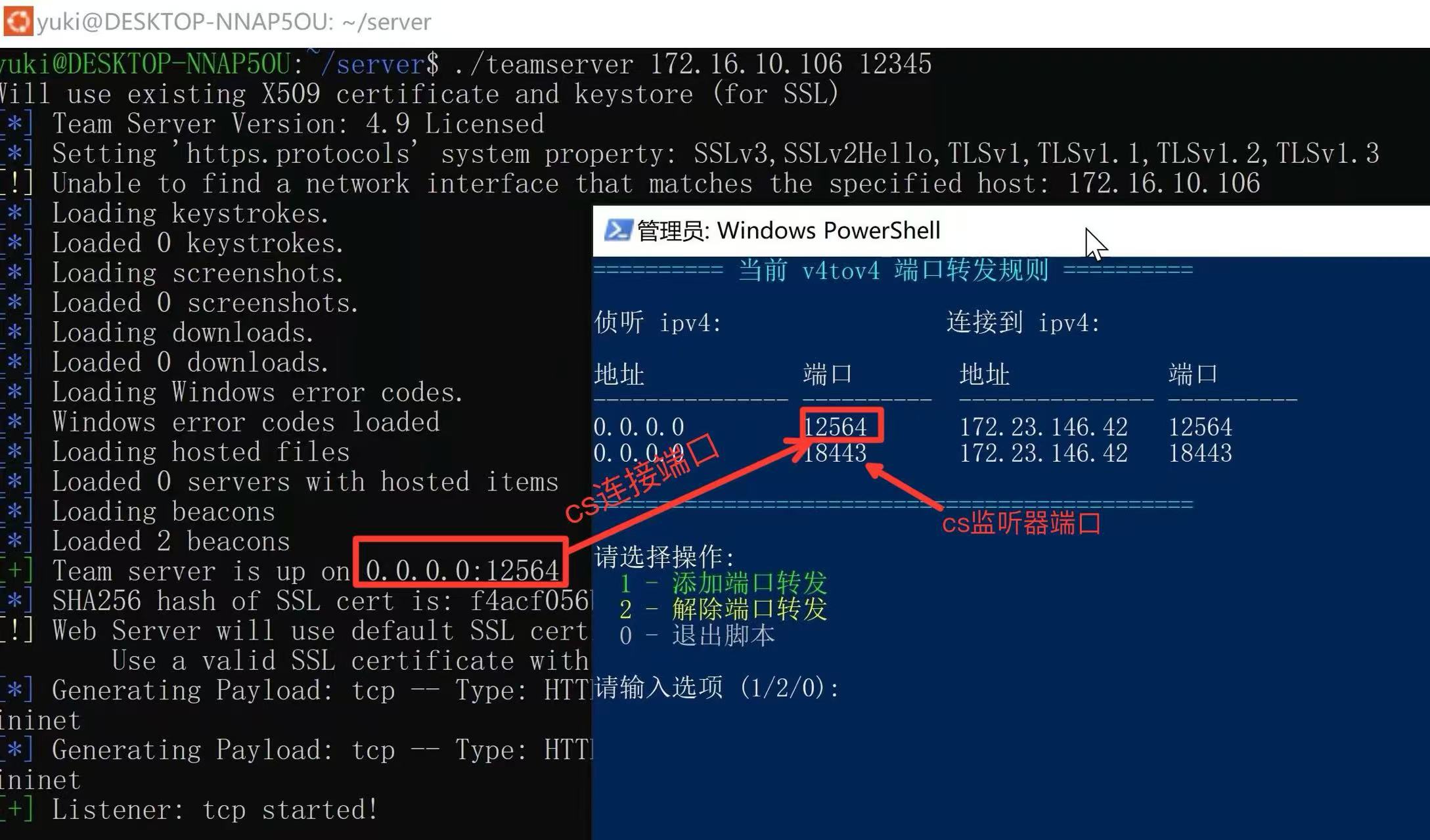
试着用 127.0.0.1 连接一下:
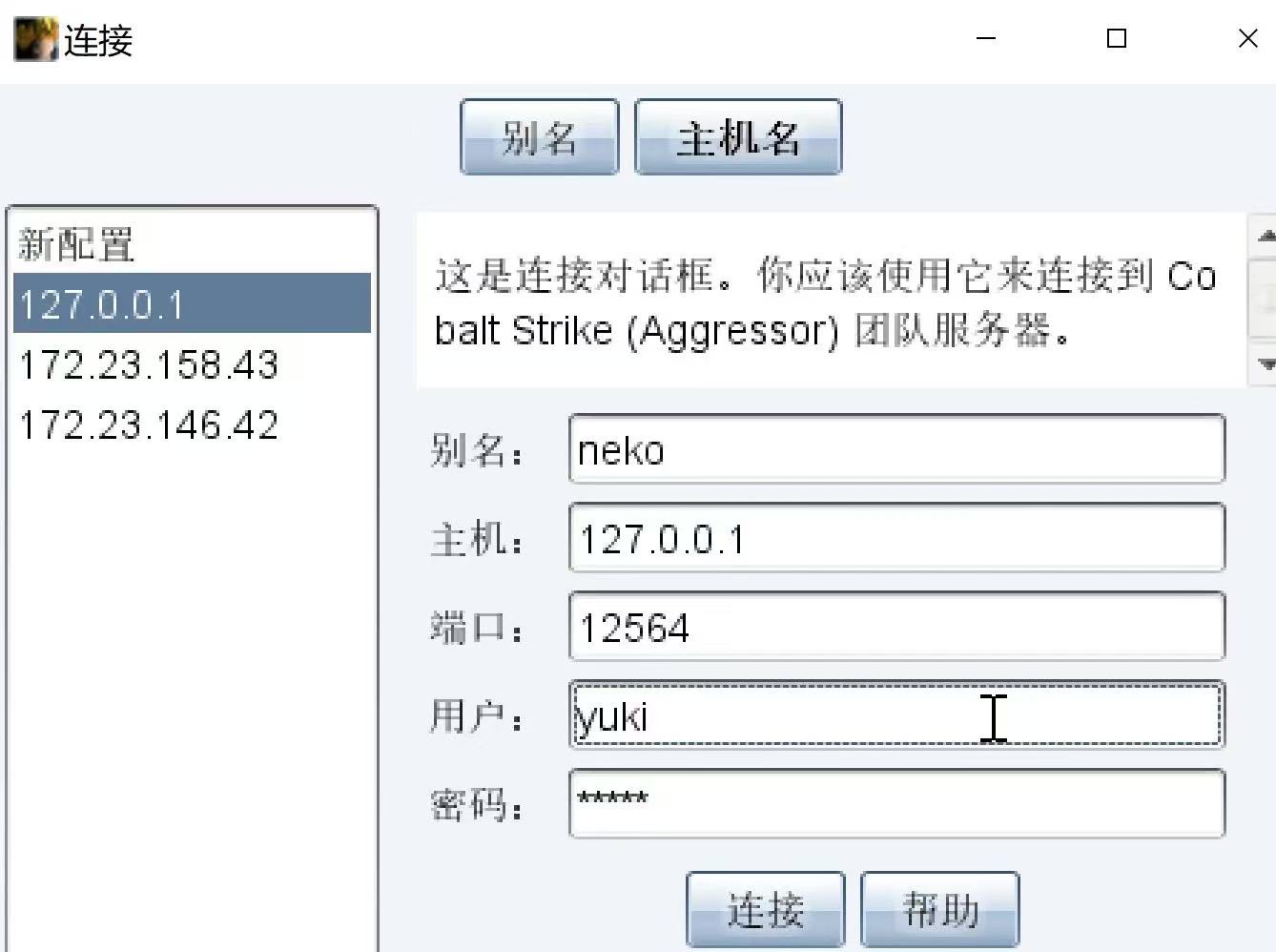
嘿嘿,成功连上啦!本地的 beacon 也乖乖上线了~